How to Make an Event Reservation
Reserve and cancel film tickets in a few taps using the Mountainfilm app. Below is a quick walkthrough for both.
How to Reserve a Ticket
Open the Mountainfilm app and follow the steps below. If you have multiple passes on your account, you'll need to repeat the reservation steps for each pass.
Step 1. From the welcome screen, tap the menu icon (≡) in the top-left corner.

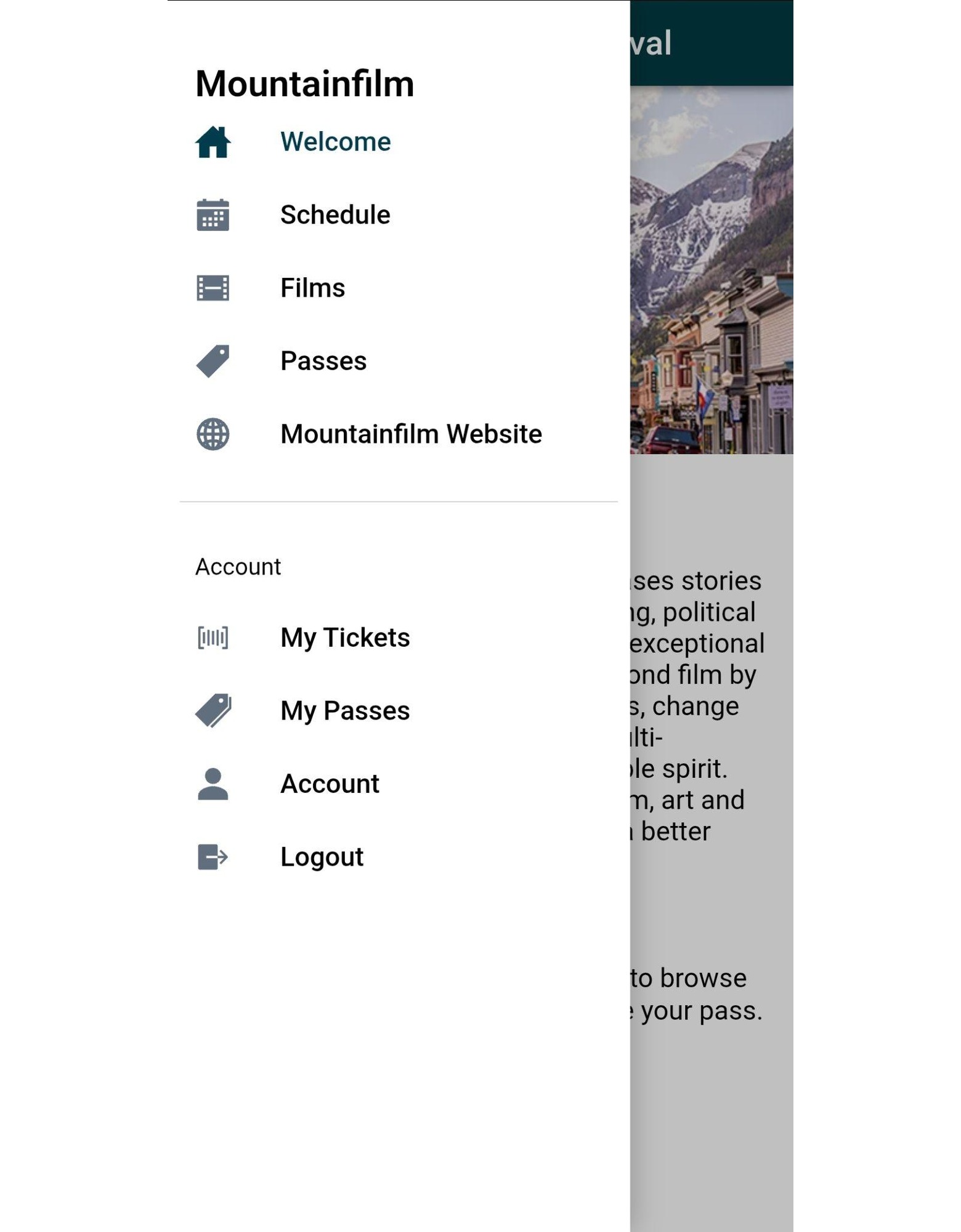
Step 2. Tap Schedule to browse the festival lineup.


Step 3. Find a film you want to reserve and tap it. On the film page, tap Ticket.
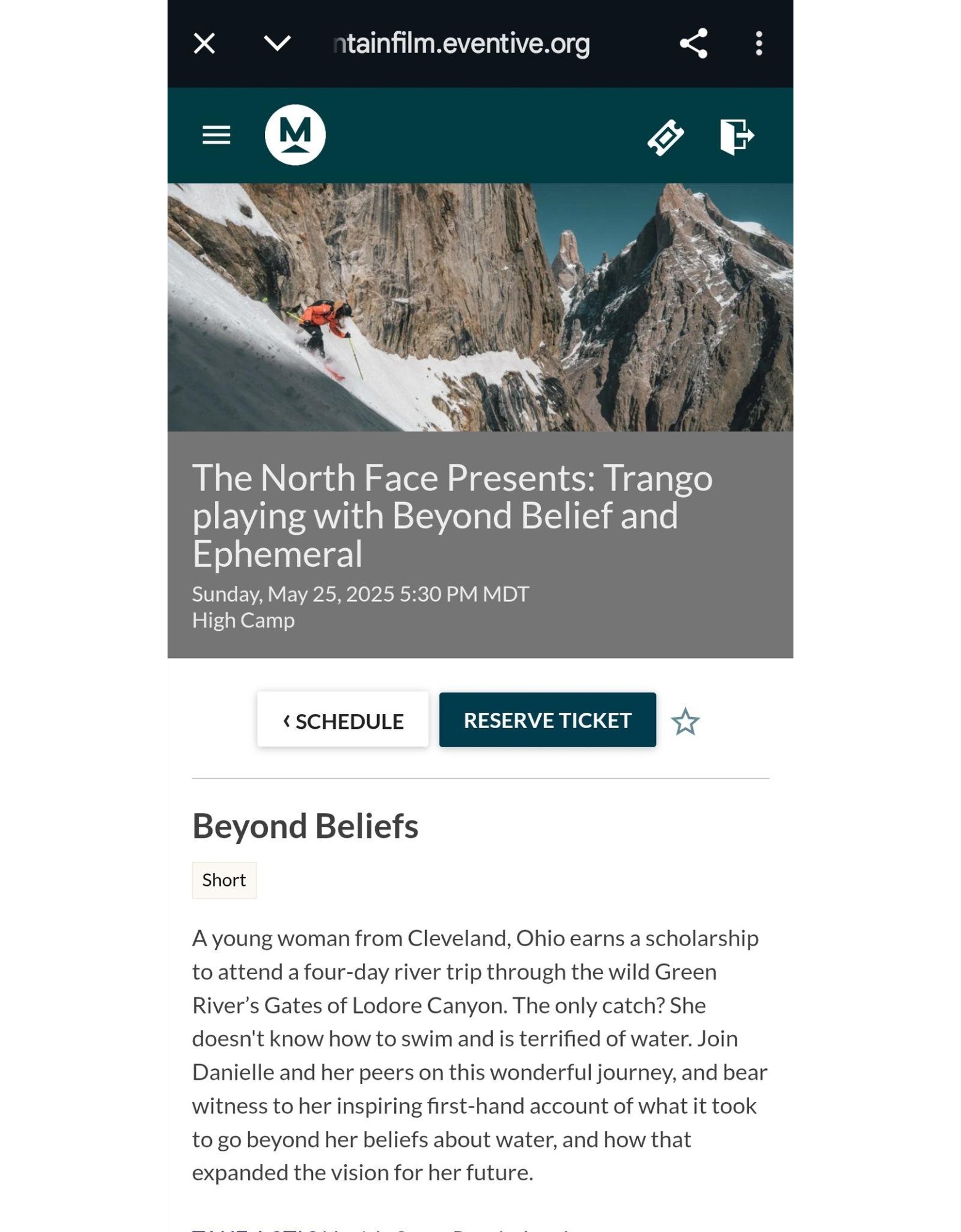
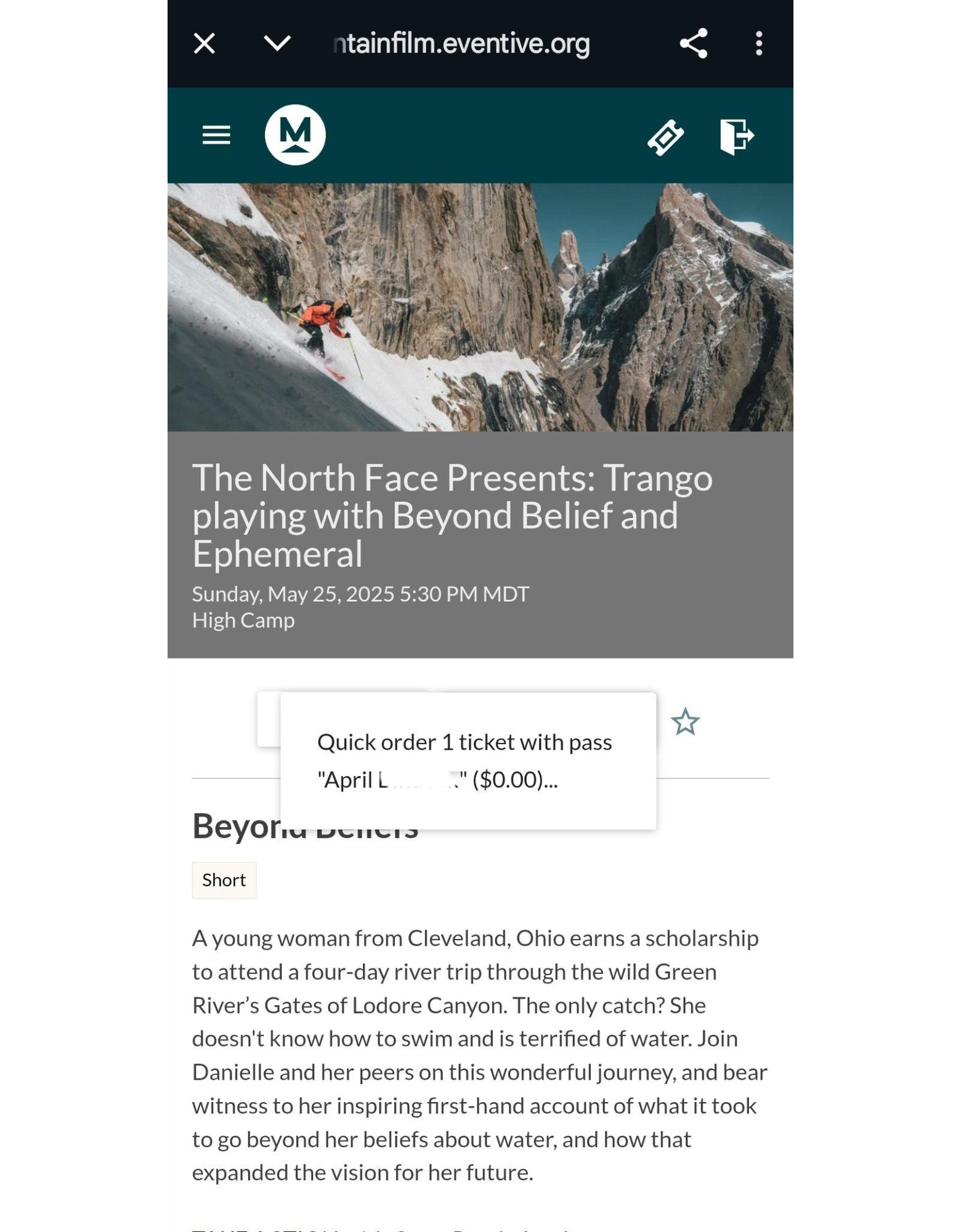
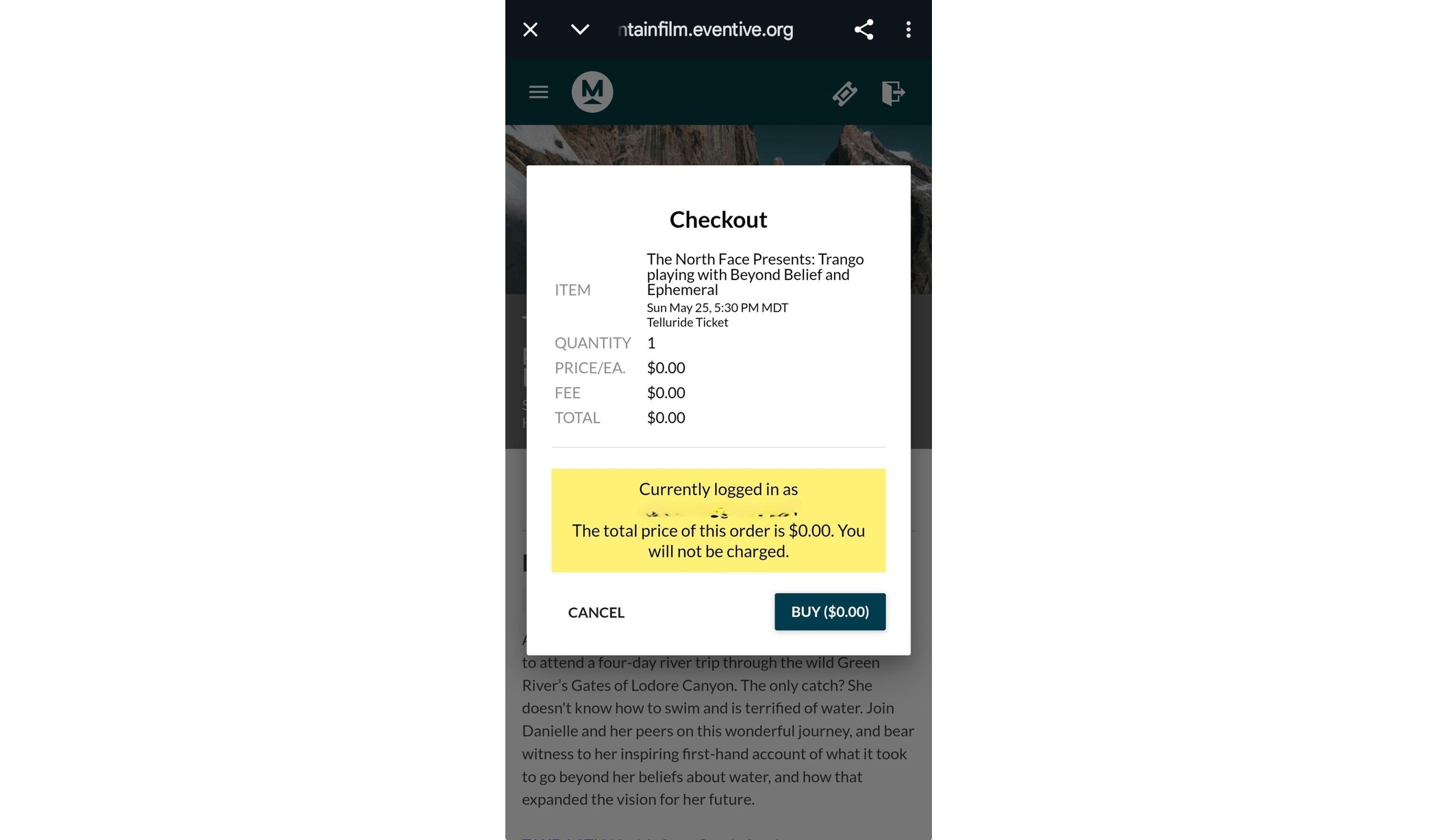
Step 4. Tap Reserve Ticket, then Quick Order. To complete the reservation, tap Buy on the checkout screen.
Note: Tickets are free with a pass — you won't be charged.
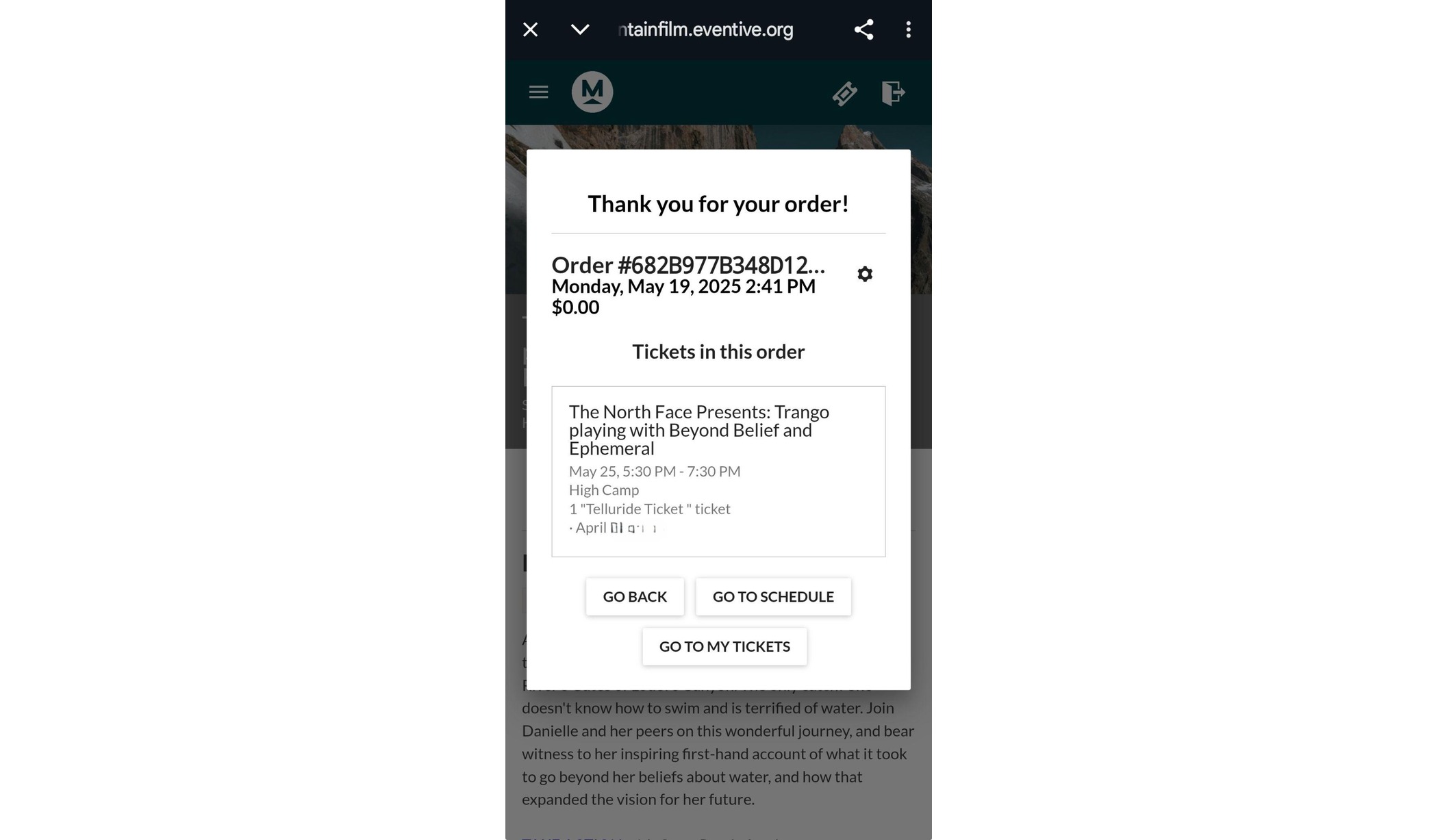
Step 5. You'll see a confirmation message. You're all set!
How to Cancel a Reservation
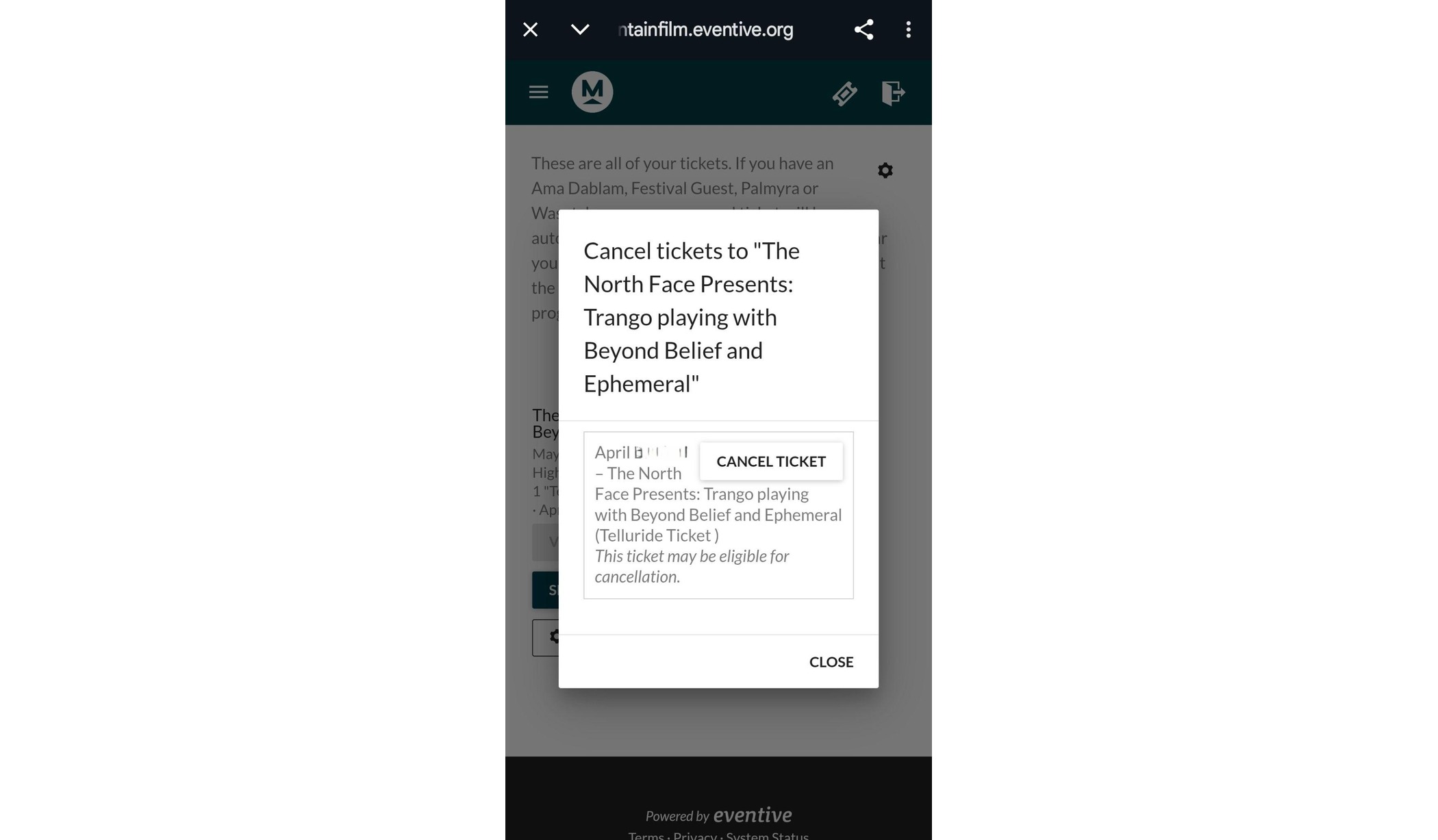
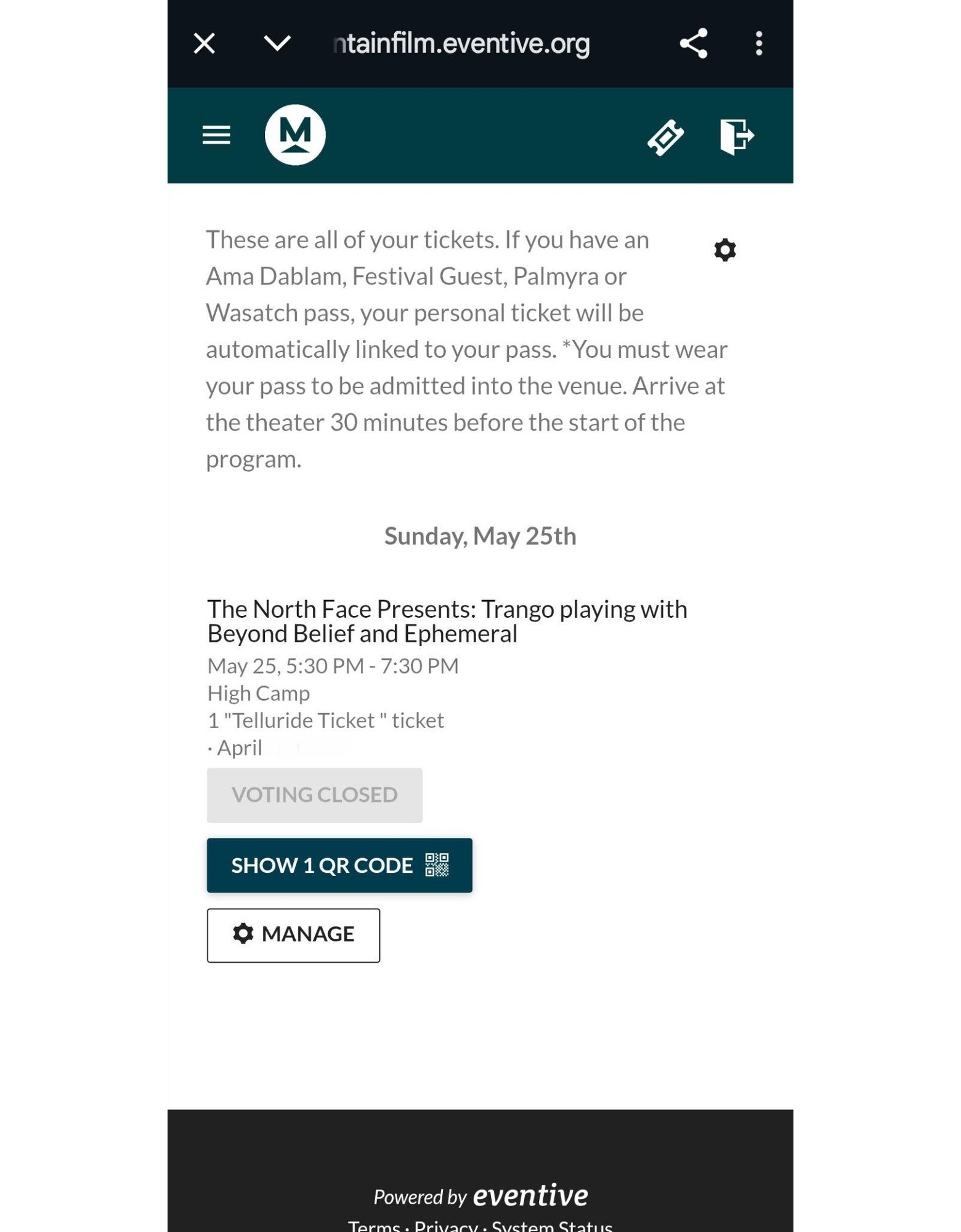
Step 1. From the menu, tap My Tickets. Find the ticket you want to cancel and tap Manage, then Cancel Ticket.
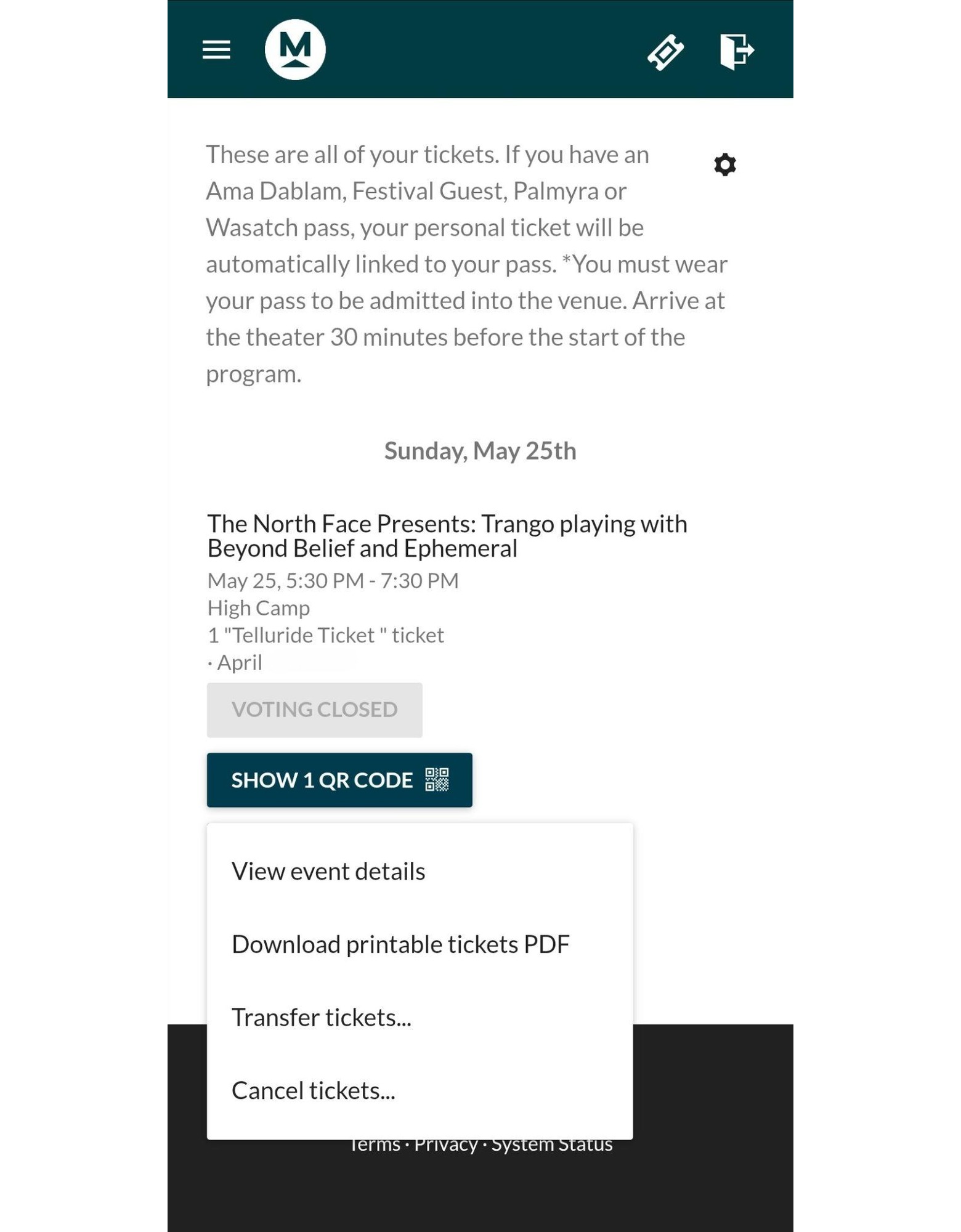
Step 2. Confirm by tapping Cancel Ticket again. The ticket will be removed from your pass.